

When working with Adobe Commerce Services (Live Search, Product Recommendations, SaaS Connector), developers should be aware of a potential environment isolation risk that can occur after cloning a production database.
This is not a bug. The system is behaving as designed. However, the design allows non-production environments to interact with production SaaS data spaces under common workflows.
Scenario
A typical workflow that can trigger this issue:
• Production database is cloned to staging (standard Magento workflow)
• The SaaS Identifier remains bound to the production SaaS data space
• Live Search or other Commerce Services are enabled for staging testing
• Sandbox keys are entered
• Documentation states all four keys are required (Production + Sandbox, Public + Private)
• Production keys are also entered
• The staging instance begins interacting with the production SaaS data space
At this point, staging URLs or test catalog data can appear in production services.
Official Adobe Warning
Adobe documentation already highlights this risk:
The documentation states:
“Use your production SaaS data space only with your production Commerce installation. Using it in non-production environments can mix testing and live data.”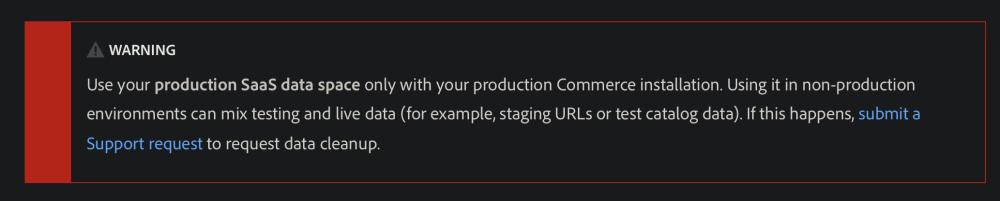
Key Architectural Concerns
The current SaaS connector implementation relies on manual environment separation, which creates operational risk in enterprise setups.
Main concerns include:
• Production and Sandbox credentials can coexist in the same Commerce instance
• SaaS identifiers persist after Magento production → staging database sync
• No host or domain validation before publishing data to SaaS services
• No enforced environment binding between Commerce instance and SaaS data space
• Reliance on documentation warnings instead of technical safeguards
Why This Matters
In most enterprise platforms, environment isolation is enforced programmatically.
Developers typically expect that staging systems cannot influence production services without explicit production deployment.
In this case, the separation between environments depends entirely on configuration awareness.
Suggested Improvements
Possible improvements that could reduce risk:
• Allow only one active credential pair (Production or Sandbox)
• Require explicit environment confirmation when enabling SaaS services
• Reset or invalidate the SaaS identifier after database cloning
• Validate the Commerce base URL against the SaaS data space
• Add clear UI indicators showing whether the instance is connected to Production or Sandbox SaaS
Key Takeaway
If you are using Adobe Commerce Live Search or other Commerce Services, always verify the SaaS configuration after cloning a database.
Check:
• SaaS Identifier
• API keys (Sandbox vs Production)
• Active SaaS data space
• Commerce Services configuration
Failing to do so can allow a staging Magento environment to push data to production SaaS services.
References:
https://experienceleague.adobe.com/en/docs/commerce/user-guides/integration-services/saas


Comments